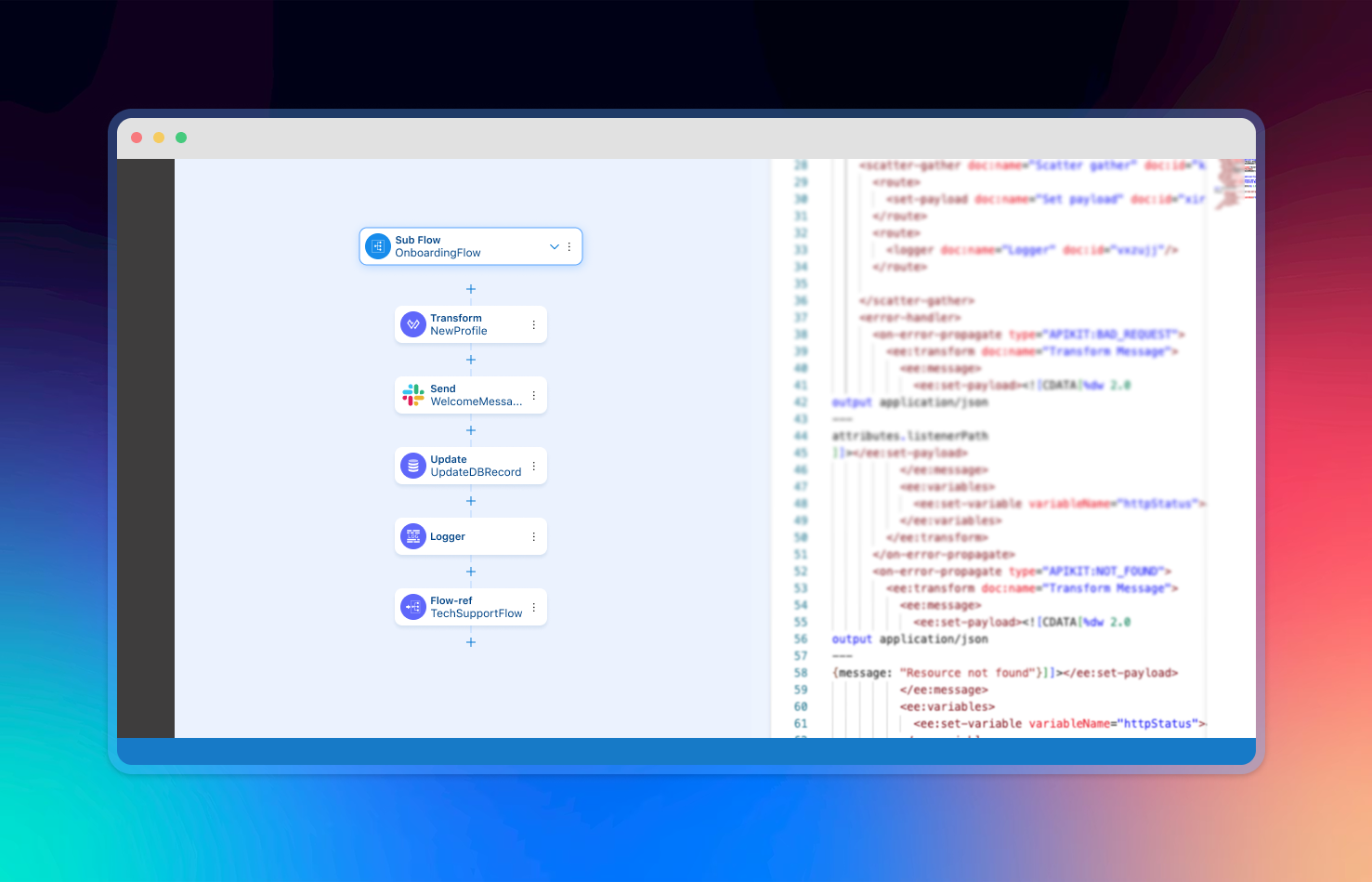
Architecting the Low-Code IDE
Streamline application and integration design, development, testing, and deployment with canvas-based low-code and no-code capabilities.
01 Project Brief
Goal
This project aimed to modernize the developer experience by introducing low-code and no-code capabilities, making application development as simple and intuitive as building with LEGO blocks 🧱.
Users
Today, over 500,000 developers from 1,000+ large enterprises actively use our platform to build applications. Despite its widespread adoption, the core developer experience lags behind modern application development standards, which creates friction for users and increases the risk of customer churn.
Team
UX Team - Led by Me 😎;
Engineering Team - 34 engineers;
Product Management Team - 4 product managers;
Technical Writing Team - 4 technical writers
Skills
Product Strategy
User Research
User Experience Design
Design System Development
Visual Design
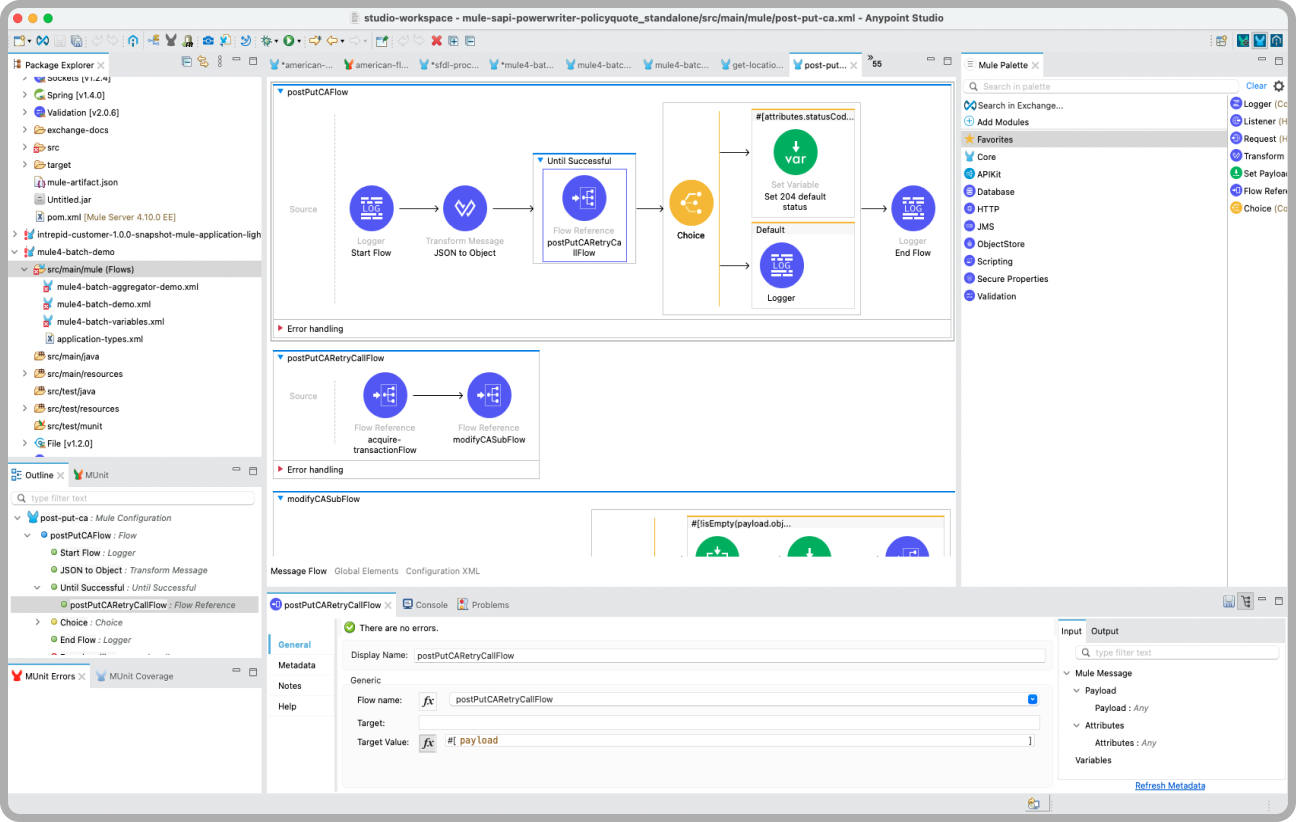
Before
The legacy experience required heavy coding and complex manual configurations, leading to high friction and steep learning curves.
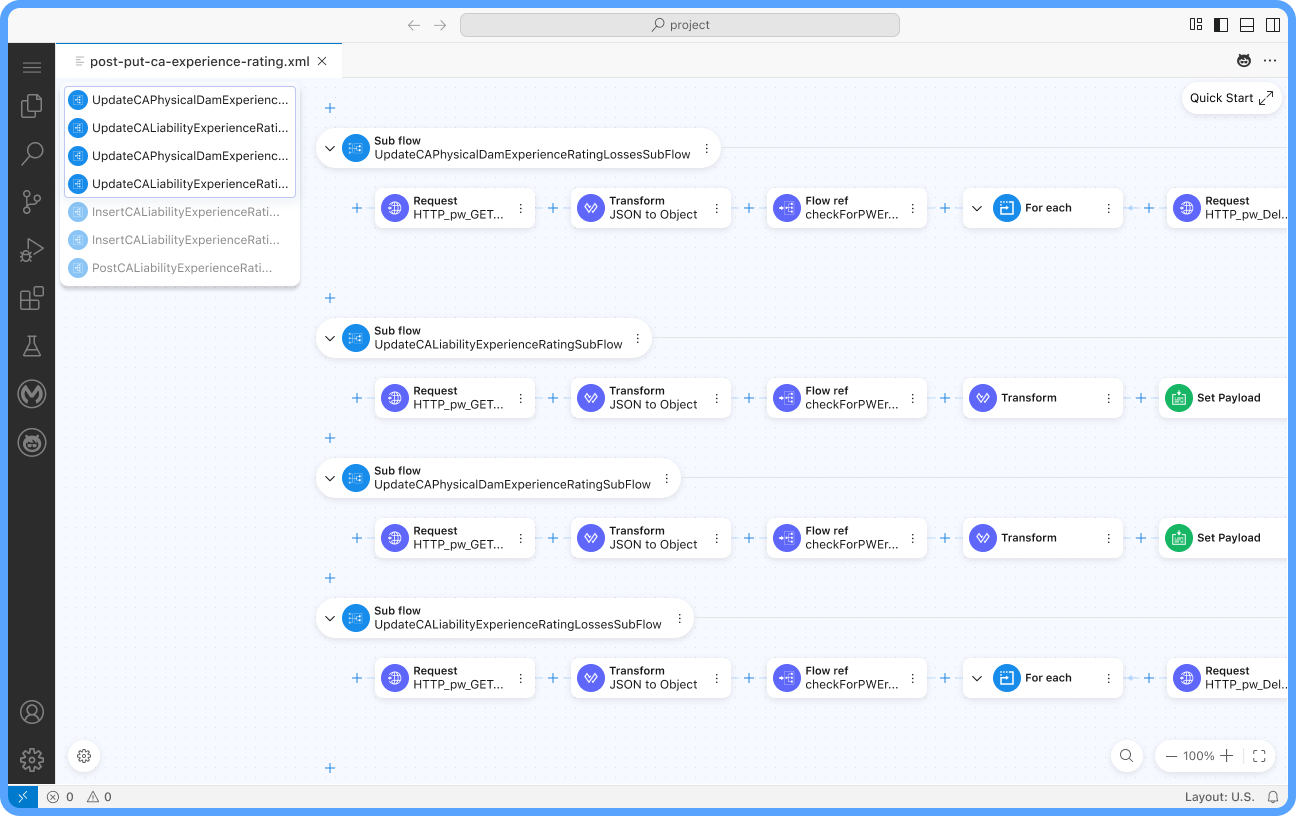
After
The experience features improved readability, productivity and usability by optimizing the information architecture, comprehensive AI-powered assistance, fully flexible customization and upgraded visual language.
02 UX Approach
A user-centered design process was followed to ensure the platform met the needs of both novice and expert developers. From discovery to delivery, we iterated based on continuous feedback.
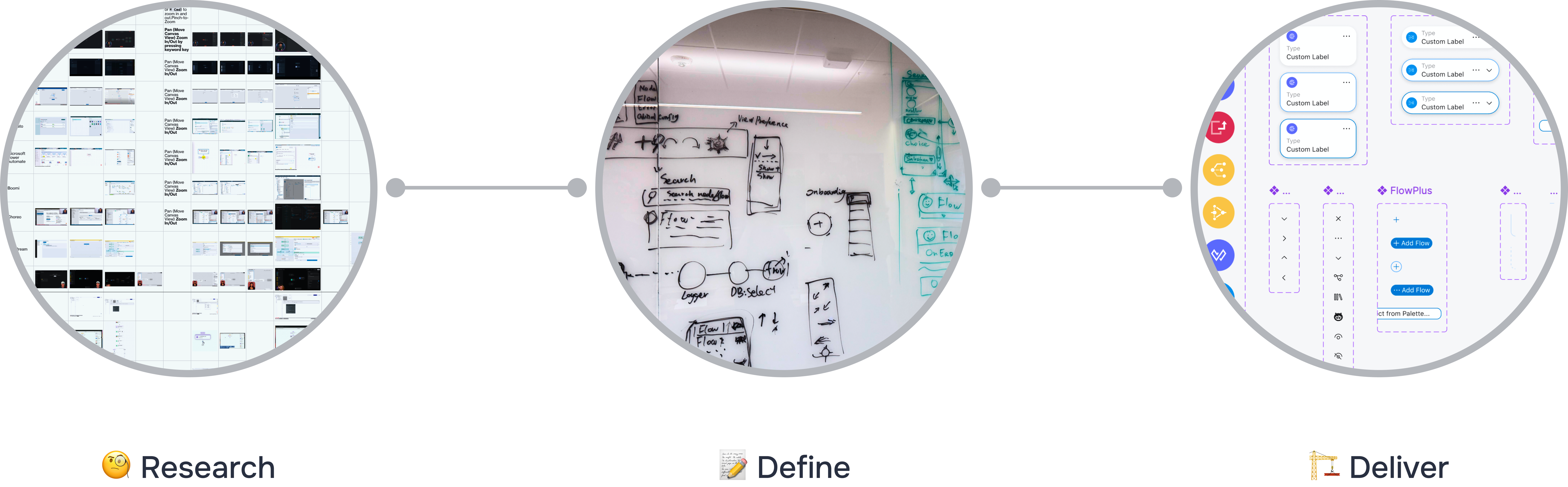
03 Highlights
Full-Featured Canvas-based Editor
The core of the experience is an intuitive canvas where users can visually map out their application logic. The adding, editing, moving, setting breakpoint, adding comments and converting to scopes make complex integration design a breeze.
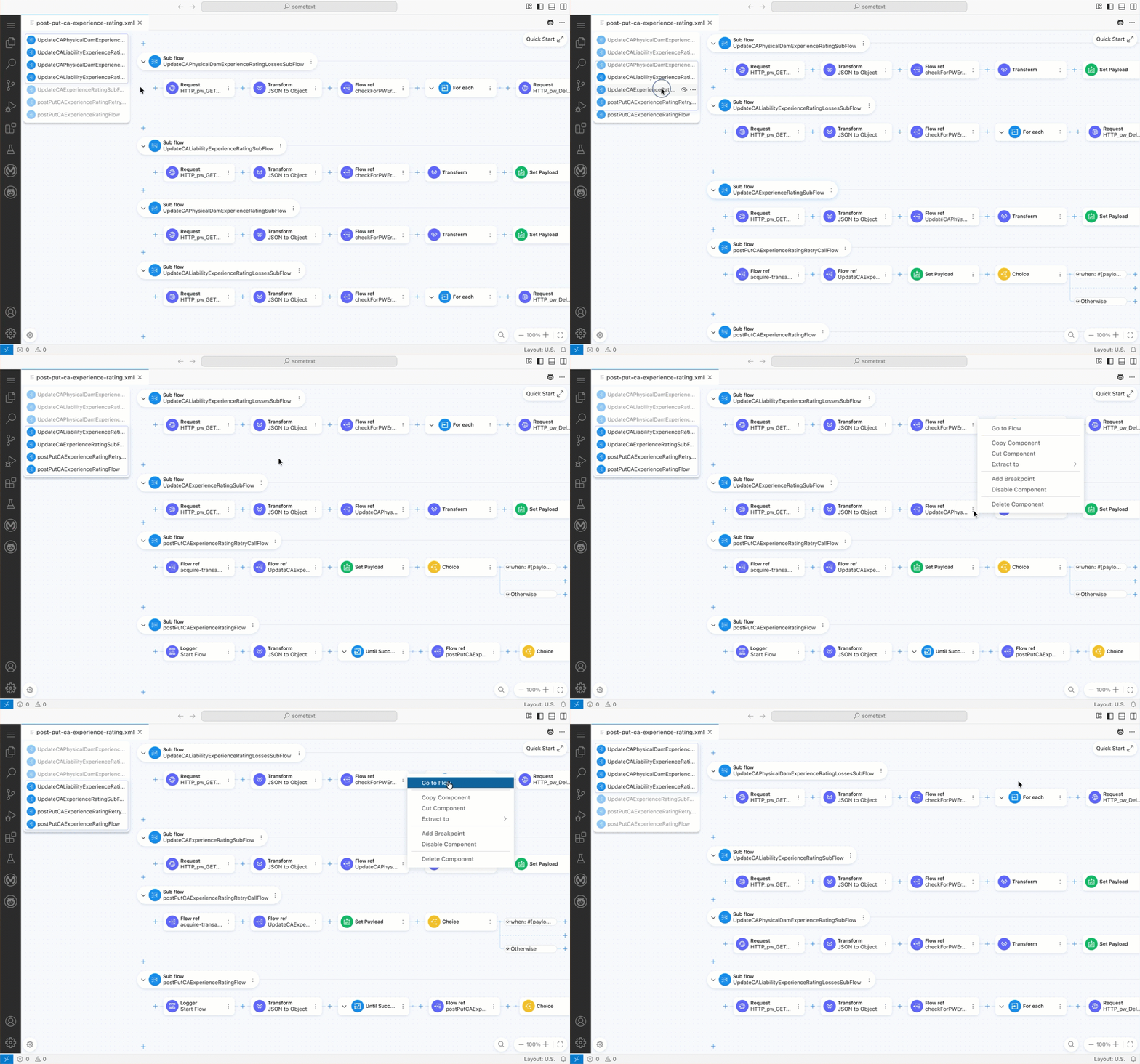
Customizable Canvas
Our custom canvas interface allows users to configure and customize the canvas to their needs, reducing errors and improving productivity.
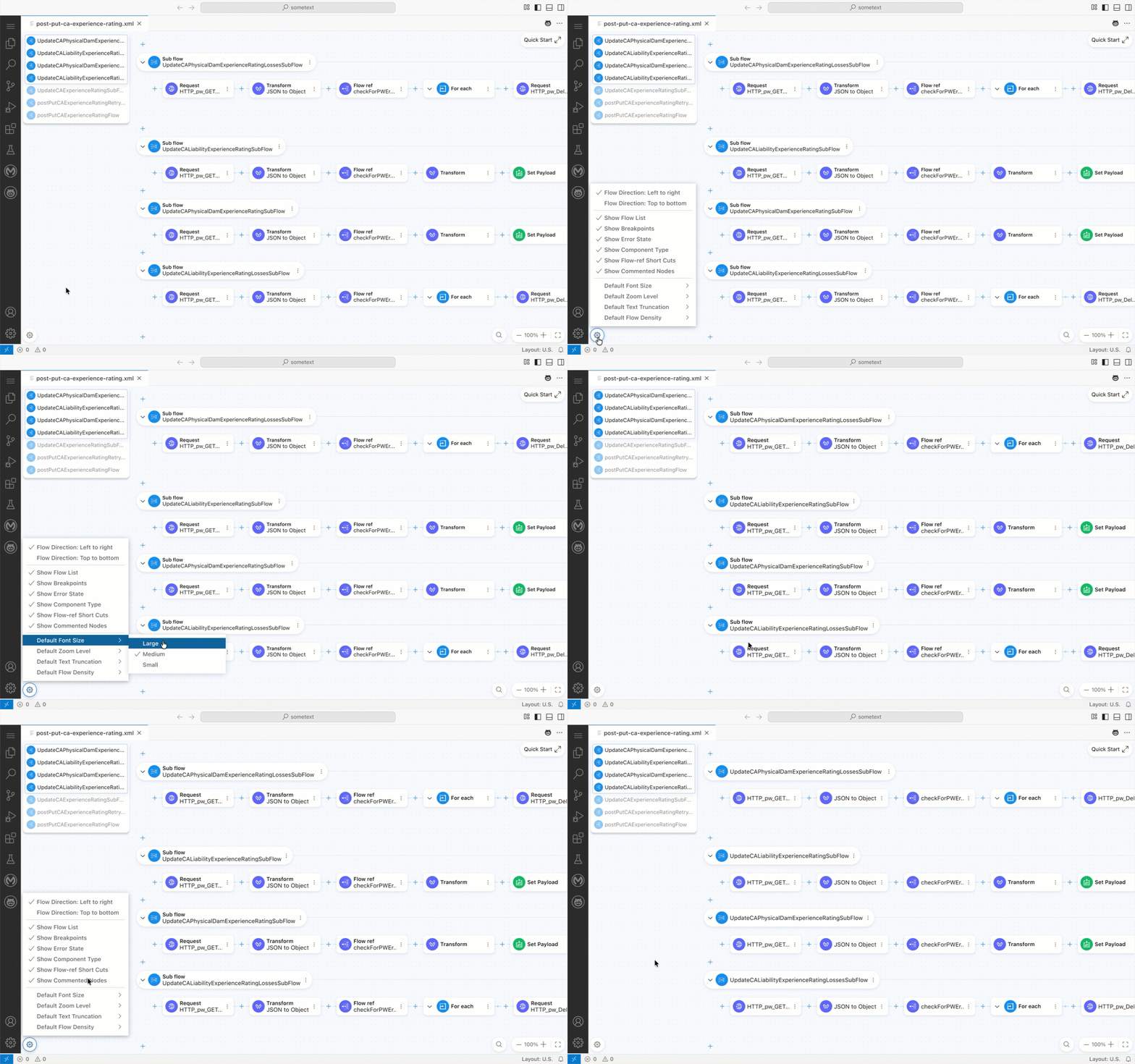
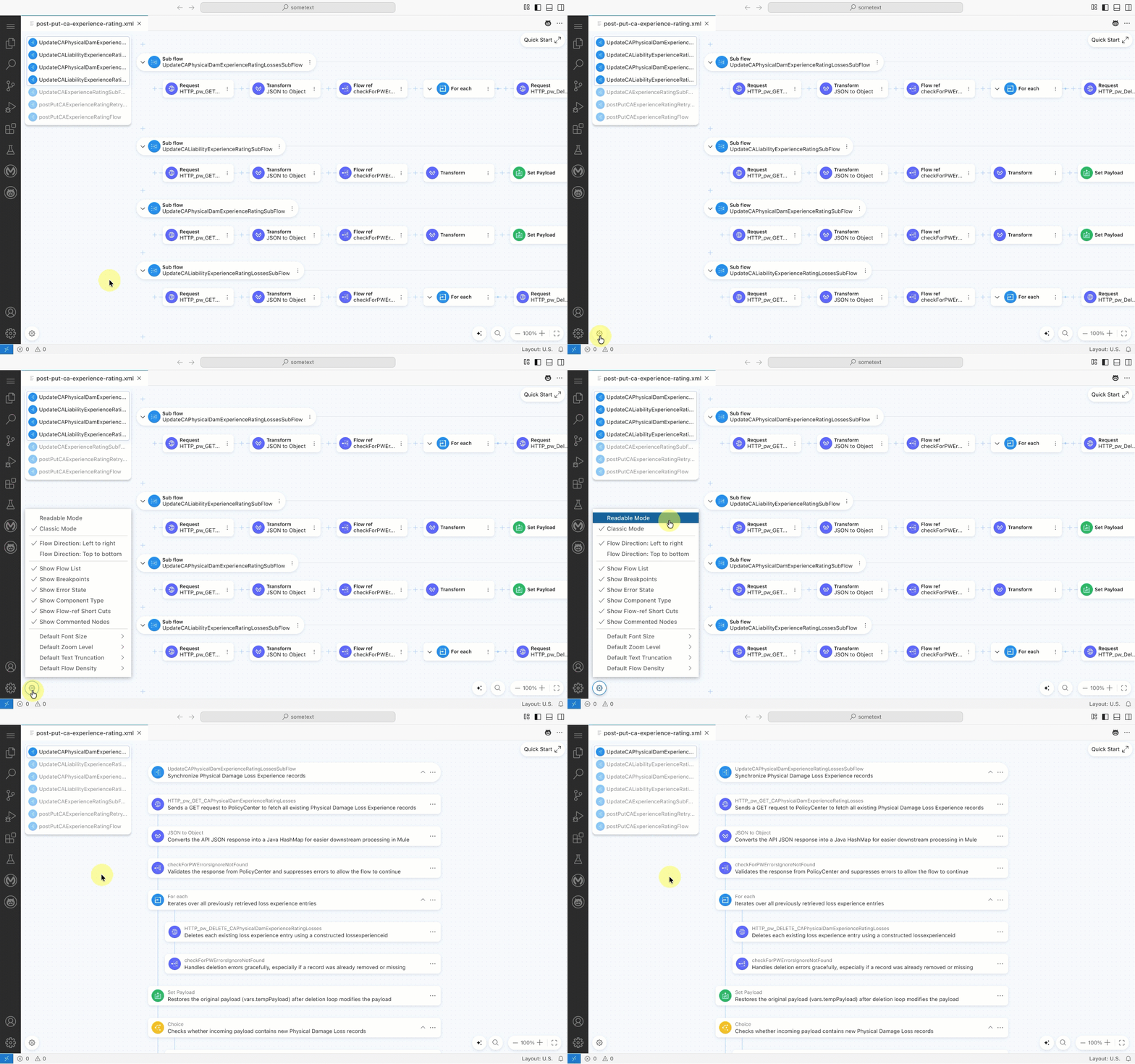
Readable User Interface
To make the user interface more readable and intuitive, I designed a “readable mode” to the UI. In this mode, the entire flow is displayed in a linear manner, making the logic of the integration more visible and easier to understand. It also includes an AI-powered, context-based “Generate Description” feature to help users better understand the flow.
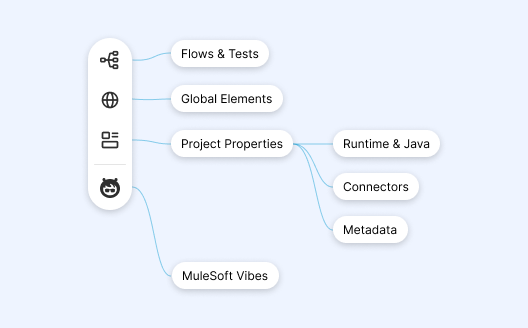
Optimal Information Architecture
Being able to manage reusable assets such as metadata, connections, properties, and other assets is a key feature of the new canvas-based editor. I designed an intuitive information architecture that allows users to create, manage, and reuse assets as needed.
04 Closing Notes
Impact
We have seen a massive lift in the efficiency of integration design made within the first 3 months after launch.
Significant reduction in manual coding and configuration errors led to much faster project completion.
NPS scores among developers increased by a quarter after adopting the new canvas-based editor.
Takeaways
Successfully transformed a complex, standalone developer experience product into a Visual Studio Code extension without compromising on usability or performance.
Leveraged close collaboration across design, product, and engineering to translate technical complexity into a clear, no-code user experience.
Learned to prioritize ruthlessly in high-pressure environments, focusing on what delivered the most value within tight timelines.